Your monthly finances.
Sorted.
Import your bank exports, categorise every transaction, and download a clean report.
Bytes sent to any server
Transactions you can categorise
From import to first category
No subscription. No paywall.
What it does
- 01
100% Private by design
Your transactions never leave your device. No server ever sees your data. Everything runs locally in your browser.
- 02
Categorise your way
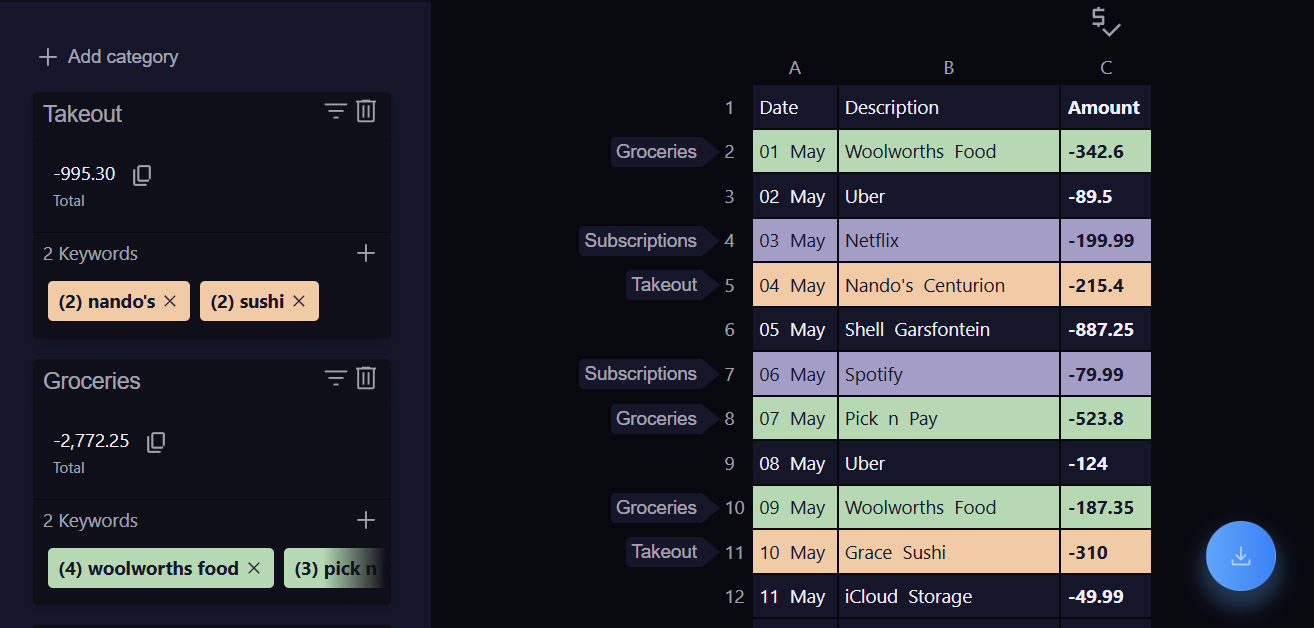
Drop in exports from any bank and create categories that match how you actually spend.
- 03
Remembers your work
Close the tab. Come back next month. Your categories are saved locally and waiting exactly where you left them.
- 04
Export in one click
Download a clean, formatted file of your categorised data whenever you're ready. Your work, your format.
How it works
Export from your bank
Download a transactions file from your bank's online portal. CSV or XLSX, whatever they provide.
Categorise
Import it into Expense Organizer and tag every transaction with categories you create.
Download and done
Export your clean, categorised data. Return next month and your categories are already waiting.
Frequently asked questions
- Is Expense Organizer free?
- Yes. Expense Organizer is completely free to use - no subscription, no paywall, no premium tier. Open the app and start categorising your transactions right away.
- Do I need to create an account?
- No account is required. The app runs entirely in your browser and saves your categories locally on your device. Close the tab and come back next month - your work will be waiting exactly where you left it.
- What bank file formats does it support?
- Expense Organizer accepts CSV and XLSX exports - the two most common formats provided by banks and financial institutions. If your bank lets you download a statement, you can import it.
- Is my financial data safe and private?
- Your data never leaves your device. Expense Organizer processes everything locally in your browser - nothing is uploaded to a server, and no third party ever sees your transactions.